AI SOFTWARE ENGINEERING RESEARCH REPORT · 2026
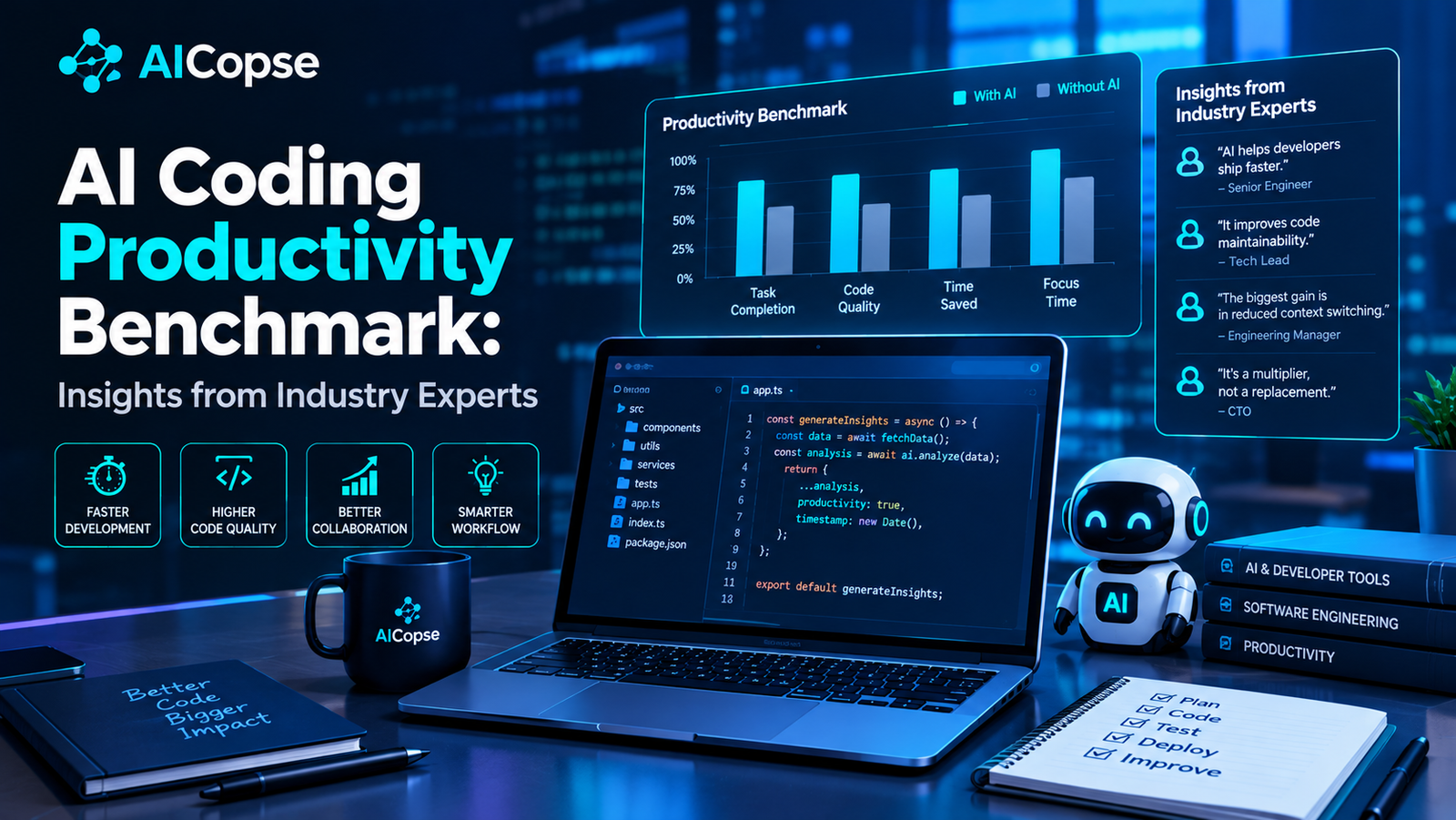
AI Coding Productivity Benchmark: Insights from Industry Experts
AI coding assistants are changing how software is written, tested, reviewed, and maintained. But how much faster are developers really becoming? This research examines controlled experiments, developer sentiment, coding benchmarks, quality risks, and the measurements engineering teams need to prove whether AI improves software delivery.
Executive summary
AI coding tools have become a regular part of software development, but the evidence does not support one universal productivity figure. Some controlled studies have found substantial improvements in task completion. Other research has found that experienced developers working in familiar, complex codebases took longer when using AI tools. Large developer surveys show widespread adoption alongside serious concerns about accuracy, debugging, and the time required to review generated code.
A 2025 analysis of three field experiments at Microsoft, Accenture, and a Fortune 100 company combined results from 4,867 developers and estimated a 26.08% increase in completed tasks among developers given access to an AI coding assistant. By contrast, a METR randomized controlled trial published in July 2025 found that 16 experienced open-source developers took 19% longer to complete selected tasks with the AI tools available during that study. METR’s follow-up update in February 2026 reported evidence that later tools may accelerate development, but explained that selection effects and measurement problems made the new results too unreliable to estimate the true effect confidently.
The wider industry picture reinforces the need for careful measurement. Stack Overflow’s 2025 Developer Survey found that 84% of respondents were using or planning to use AI tools in development, while 46% distrusted the accuracy of their output and 66% reported frustration with AI solutions that were almost correct but not quite. JetBrains’ January 2026 survey of more than 10,000 professional developers found that 90% regularly used at least one AI tool at work for coding and development tasks. Adoption is no longer the main question. The important question is whether AI improves the complete engineering workflow.
Benchmark results also need scrutiny. In February 2026, OpenAI stopped reporting SWE-bench Verified scores for frontier coding models after identifying flawed tests and potential training-data contamination. In July 2026, it reported that its audit found significant issues in SWE-bench Pro as well, estimating that about 30% of its tasks were broken. These findings show that even popular coding benchmarks can fail to measure real-world capability accurately.
- There is no universal productivity uplift. Results depend on the task, developer experience, codebase familiarity, tool quality, and workflow.
- Individual speed and team delivery are different measures. Faster code generation may be offset by review, debugging, integration, and deployment work.
- Code quality must be measured alongside speed. Defects, security issues, maintainability, and rework can erase apparent productivity gains.
- Benchmarks are useful but imperfect. A high score on a coding challenge does not guarantee reliable performance on a company’s production codebase.
- The best starting point is a controlled pilot. Establish a baseline, measure completed work, account for quality and costs, and compare similar tasks with and without AI.
AI coding productivity in numbers
The following figures come from different research designs. They measure different outcomes, so they should not be combined into a single industry-wide productivity average.
FIELD EXPERIMENTS
26.08%
Estimated increase in completed tasks across three workplace experiments.
4,867 developers, 2025 publication
METR CONTROLLED TRIAL
19% slower
Experienced developers took longer with early-2025 AI tools on selected familiar repositories.
16 developers, 246 tasks
AI TOOL ADOPTION
90%
Professional developers regularly using at least one AI tool at work for coding and development tasks.
JetBrains AI Pulse, January 2026
TRUST IN AI OUTPUT
46%
Developers who said they did not trust the accuracy of AI tool output.
Stack Overflow Developer Survey 2025
These figures represent different outcomes: completed tasks, task duration, adoption, and trust. The 26.08% figure is not a promise that every developer will become 26% faster. The 19% slowdown is not evidence that every current AI coding tool makes engineers slower. Both results are useful because they reveal how strongly context and measurement design influence the conclusion.
What does AI coding productivity actually mean?
Software engineering productivity is often reduced to the time required to write a piece of code. That measure is too narrow for modern software development. A developer must understand requirements, navigate existing architecture, implement a solution, test it, review it, address security concerns, integrate it with other systems, and help ensure it works reliably in production.
AI can improve one part of this process while making another part more expensive. A tool may generate a function in seconds, but the developer may spend additional time checking edge cases, fixing dependencies, rewriting the implementation, or diagnosing a subtle bug. A fair benchmark must account for the complete task rather than only the initial generation time.
Task productivity
How quickly can a developer complete a defined task, including testing and correction?
Delivery productivity
How efficiently can a team turn work into tested, reviewed, deployable software?
Business productivity
Does the team deliver useful features, reliability improvements, and customer value at a better total cost?
A broader productivity formula
Net engineering benefit = Value of accepted work − Total cost of producing, reviewing, maintaining, and operating it
The value of accepted work depends on the business. It may include faster delivery of a customer feature, fewer production incidents, improved reliability, or reduced engineering cost. The total cost includes developer time, AI subscriptions, model usage, code review, rework, testing, security checks, and maintenance.
This approach avoids a common mistake: assuming that more generated code, more commits, or more pull requests automatically means more business value. A team can generate more code and still deliver less if the extra code creates defects, review bottlenecks, or long-term maintenance work.
Six major research studies every engineering leader should understand
The following studies are especially useful because they examine different parts of the problem. Some measure task completion in controlled experiments. Others examine developers’ experiences, real-world tool adoption, or whether benchmark scores accurately reflect coding capability.
STUDY 1 · 2025 PUBLICATION
Three field experiments: 26.08% more completed tasks in the pooled analysis
A study published in Management Science examined the effects of generative AI on high-skilled work through three randomized field experiments involving software developers at Microsoft, Accenture, and an anonymous Fortune 100 company. The experiments were conducted during ordinary business activity rather than only in a laboratory setting.
4,867
Developers across the three experiments
26.08%
Pooled increase in completed tasks
3
Separate workplace experiments
The researchers provided a randomly selected group of developers with access to an AI coding assistant that suggested code completions. When results were combined across the three experiments, the estimated increase in completed tasks was 26.08%, with a reported standard error of 10.3 percentage points. The researchers also found that less experienced developers tended to adopt the tool more and experience greater productivity gains.
The value of this study lies in its workplace setting and its relatively large combined sample. It provides evidence that AI assistants can improve measured output under real organizational conditions. It also suggests that developers do not all benefit equally. Less experienced engineers may gain from suggested code, examples, and help navigating tasks that would otherwise take longer.
However, the result needs careful interpretation. The experiments used specific tools, tasks, and company environments. A pooled estimate does not mean every company will receive the same increase, and completed tasks do not capture every dimension of maintainability, long-term quality, or production risk.
Practical lesson: measure task completion and quality together, and segment results by experience level, task type, and tool usage. Do not turn one study’s average into an individual performance target.
Read the study in Management Science or read the Microsoft Research summary.
STUDY 2 · JULY 2025
METR: experienced developers took 19% longer on selected real-world tasks
METR, an AI research nonprofit, conducted a randomized controlled trial involving 16 experienced open-source developers working on mature repositories they knew well. The developers completed 246 tasks, with tasks randomly assigned to conditions in which AI tools were either allowed or not allowed. The AI tools used during the February to June 2025 study included Cursor Pro and Claude 3.5 or 3.7 Sonnet.
16
Experienced developers
246
Tasks in the trial
19%
Longer completion time with AI allowed
Before starting, participants expected AI to reduce their completion time by approximately 24%. After the experiment, they still believed AI had reduced their time by about 20%. The measured result was different: the researchers estimated that AI increased completion time by 19% in this setting.
The researchers suggested that reviewing and correcting AI-generated code could explain part of the result. The AI suggestions were often directionally relevant but not sufficiently aligned with the requirements or the intricacies of the codebase. Developers working on repositories they already knew could have spent more time explaining context to the tool, evaluating suggestions, and correcting the result than they saved from code generation.
This study does not establish that AI tools generally slow developers down. Its sample was small, participants were experienced, and tasks came from repositories with which they were familiar. The study is particularly valuable because it tests a setting where many developers might expect a tool to help, while showing that familiarity and task complexity can change the outcome.
In February 2026, METR published an update about a later experiment using newer tools. It said the newer data suggested developers may be receiving more speedup, but selection effects, changes in participant recruitment, and unreliable time measurements made the results too weak to estimate the true productivity effect confidently. The organization said the research design needed to change.
Practical lesson: test AI on your actual repository and task mix. Measure time spent prompting, reviewing, debugging, and integrating, not just time until the first code suggestion appears.
Read the original METR study and read METR’s February 2026 update.
STUDY 3 · JULY 2025
Stack Overflow Developer Survey: adoption is high, but trust is falling
Stack Overflow’s 2025 Developer Survey collected more than 49,000 responses from 177 countries. Its AI section found that 84% of respondents were using or planning to use AI tools in their development process, up from 76% in 2024. Among professional developers, 51% reported using AI tools daily.
84%
Using or planning to use AI
46%
Distrust AI output accuracy
66%
Frustrated by almost-correct solutions
51%
Professional developers using AI daily
The survey reveals an important distinction between tool adoption and confidence. While AI use increased, positive sentiment declined to around 60%, after being above 70% in the 2023 and 2024 surveys. More respondents said they distrusted AI output accuracy than trusted it. The survey also found that 45% cited debugging AI-generated code as more time-consuming as a frustration.
These figures are based on self-reported survey responses, not a controlled measurement of how much time each developer saved. They cannot determine the exact productivity effect of AI. However, they reveal the operational burden that engineering leaders should investigate: developers may use AI frequently while still spending substantial effort verifying its output.
The survey also shows why measuring acceptance is insufficient. If engineers are using AI because it is built into their workflow, that does not prove the tool improves the quality or speed of delivery. Leaders should ask whether the tool is reducing total work, improving outcomes, or simply shifting effort from writing code to reviewing and correcting code.
Practical lesson: track trust, correction time, and defect rates alongside usage. A tool with high adoption but low trust may need better context, evaluation, integration, or a narrower scope.
STUDY 4 · APRIL 2025
Dear Diary: AI can change developer experience even when productivity is hard to prove
A study published at the 2025 IEEE/ACM International Conference on Software Engineering’s Software Engineering in Practice track examined the workplace use of generative AI coding tools inside a large multinational software company. The researchers combined surveys, a randomized controlled trial, and a three-week diary study to examine how AI influenced developers’ experience of their work.
The researchers found that regular AI tool use increased developers’ perceptions of the tools as useful and enjoyable. Eighty-four percent of participants reported positive changes in daily work practices, and 66% reported changes in how they felt about their work. However, participants’ views about the trustworthiness of AI-generated code did not improve in the same way.
This is important because engineering productivity includes more than the number of tasks completed in a day. Developers may value AI because it reduces repetitive work, helps them get started, supports creative exploration, or makes documentation easier. Those benefits may improve the working experience even when a study cannot demonstrate a consistent change in conventional coding metrics.
At the same time, improved enjoyment should not be treated as proof of higher output or lower cost. A company needs to measure employee experience and delivery outcomes separately. Better developer experience may be valuable in its own right, but a business case should make clear whether the target is retention, quality, speed, innovation, or some combination of these.
Practical lesson: include developer experience measures in AI pilots, but do not use satisfaction scores as a substitute for delivery and quality measurements.
STUDY 5 · APRIL 2026
JetBrains AI Pulse: 90% regularly use AI tools at work
JetBrains reported findings from its January 2026 AI Pulse survey, which included more than 10,000 professional developers worldwide and was localized into eight languages. The research examined the awareness, adoption, and satisfaction of developers using AI coding assistants, IDE integrations, and agentic tools.
In the January 2026 survey, 90% of respondents said they regularly used at least one AI tool at work for coding and development tasks. Seventy-four percent had adopted specialized AI developer tools, such as coding assistants, AI-enabled editors, and agents, rather than relying only on general-purpose chatbots.
The results indicate that AI coding is no longer a niche activity. Developers are using multiple types of tools, and the market is moving toward deeper integration into editors and workflows. For engineering leaders, that makes governance and measurement more difficult: employees may use different assistants, models, plugins, and agentic systems on the same project.
The survey measures adoption and use, not a controlled productivity effect. It therefore cannot tell a company how much faster its developers are becoming. Its contribution is to show how widespread AI usage has become and why organizations need a consistent way to evaluate tools and manage the data they can access.
Practical lesson: create a clear approved-tool policy, define data-handling rules, and measure outcomes across the development workflow rather than assuming that higher adoption automatically means higher productivity.
STUDY 6 · 2026 BENCHMARK AUDITS
SWE-bench problems reveal why benchmark scores need independent scrutiny
SWE-bench evaluates whether AI systems can resolve real software issues using codebases and issue descriptions drawn from public GitHub repositories. SWE-bench Verified was created as a curated set of 500 tasks, each reviewed by software engineers. It became a widely used benchmark for comparing autonomous coding models.
In February 2026, OpenAI announced that it would stop reporting SWE-bench Verified scores for frontier coding models. Its audit of 138 difficult tasks found that 59.4% had material problems with tests or task descriptions that could make correct solutions difficult or impossible to pass. The company also identified potential contamination, where models may have encountered task descriptions or solutions during training.
The issue did not end there. In July 2026, OpenAI published a separate audit of SWE-bench Pro. It reported that its analysis pipeline flagged 27.4% of tasks as broken, while a human annotation campaign identified issues in 34.1%. OpenAI estimated that approximately 30% of tasks had significant problems and withdrew its earlier recommendation to adopt SWE-bench Pro as a replacement.
59.4%
Audited difficult SWE-bench Verified tasks with material issues
27.4%
SWE-bench Pro tasks flagged by the automated audit pipeline
34.1%
SWE-bench Pro tasks identified by human annotation
These percentages refer to the audits and task subsets described by OpenAI. They do not mean that the same percentage of every benchmark task is necessarily unusable, nor do they prove that all coding benchmarks are invalid. They show that task design, hidden tests, and training-data exposure can distort scores.
Benchmark scores are still useful when their limitations are understood. But companies should not select an AI coding tool solely because it tops a leaderboard. They should run it against representative internal tasks, review whether the evaluation is fair, and measure whether generated changes pass the company’s own tests and quality requirements.
Practical lesson: treat coding benchmark scores as evidence about performance on a defined test set, not as a direct forecast of productivity on your software.
Read the February 2026 SWE-bench Verified audit and the July 2026 SWE-bench Pro audit.
What the six studies tell us together
The evidence becomes clearer when the studies are compared by what they measure rather than by which number is highest. Controlled experiments can estimate causal effects for selected tasks. Surveys reveal adoption, trust, and developer experience. Benchmark audits assess whether automated tests provide a reliable signal of coding ability.
| Study | Main finding | Evidence type | Key limitation |
|---|---|---|---|
| Three field experiments | 26.08% increase in completed tasks in pooled analysis | Randomized workplace experiments | Specific tools, tasks, and company settings |
| METR 2025 | 19% longer completion time in selected tasks | Randomized controlled trial | Small sample of experienced maintainers |
| Stack Overflow 2025 | 84% use or plan to use AI; 46% distrust accuracy | Large developer survey | Self-reported use and sentiment |
| Dear Diary | Positive changes in work experience, but trust concerns remained | Mixed methods and diary study | One large multinational workplace |
| JetBrains AI Pulse | 90% regularly use at least one AI tool at work | Professional developer survey | Adoption does not establish productivity gains |
| SWE-bench audits | Flawed tasks and contamination can distort scores | Benchmark audit and human review | Findings apply to audited datasets and subsets |
How AI coding tools affect different development tasks
AI coding assistants are not equally useful across all software engineering activities. The same tool can be helpful for repetitive implementation, less reliable for ambiguous architectural decisions, and risky when modifying security-sensitive code without thorough review. Engineering teams should evaluate tools by task category rather than assuming that one overall score describes every type of work.
OFTEN A GOOD PILOT CANDIDATE
Boilerplate and routine implementation
Examples include basic data transformations, repetitive API handlers, simple UI components, test scaffolding, and documentation drafts.
Measure: accepted implementation time, test pass rate, and review effort.
CONTEXT DEPENDENT
Debugging and legacy maintenance
AI can help interpret unfamiliar code and propose fixes, but incomplete context or hidden dependencies can produce suggestions that are almost correct.
Measure: time to verified fix, regression rate, and repeated debugging.
REQUIRES STRONG CONTROLS
Security-sensitive code
Authentication, authorization, cryptography, payment processing, and data access require strict review and testing even when the AI-generated code appears correct.
Measure: vulnerabilities, security test results, and escaped defects.
HIGH UNCERTAINTY
Architecture and product decisions
AI can help compare options or draft proposals, but ambiguous requirements and business trade-offs need human judgment and system-level context.
Measure: decision quality, rework, design defects, and long-term maintainability.
Routine code generation versus complex engineering
AI tools are often most straightforward to evaluate when the task is narrow, the requirements are explicit, and success can be checked automatically. For example, a developer can compare the time required to implement a small function and run a fixed test suite. The task becomes harder to evaluate when the correct solution depends on undocumented business rules, architectural constraints, interactions between services, or subtle performance requirements.
Complex tasks can still benefit from AI, especially for research, code navigation, hypothesis generation, and repetitive substeps. The key is to avoid measuring only the parts that are easiest to automate. A fair benchmark includes the time needed to understand the task, verify the result, and ensure the change does not break existing behavior.
How to benchmark AI coding productivity in your own engineering team
External studies provide a starting point, but your own repository, team structure, test suite, and delivery process determine the results you will experience. A credible internal benchmark should compare similar tasks, record the entire workflow, and define success before the experiment begins.
Step 1: define the task categories
Separate the work into categories such as new feature implementation, bug fixing, refactoring, testing, documentation, code review, and repository exploration. Select representative tasks from each category. Avoid choosing only simple tasks that favor AI or only difficult tasks that make it look ineffective.
Step 2: establish a baseline
Measure how long similar tasks take using the existing workflow. Record the developer’s experience, task complexity, test requirements, review time, and the number of defects or revisions. If possible, use randomized assignment or matched tasks to reduce the effect of differences between developers and tasks.
Step 3: compare total completion time
Measure from the start of the task until the change is accepted under the same quality requirements. Include time spent prompting, reading suggestions, correcting code, running tests, fixing regressions, and responding to review comments. A generated patch is not a completed task until it meets the agreed acceptance criteria.
Step 4: use quality guardrails
Set a minimum quality threshold before measuring productivity. A faster change that introduces a security flaw or causes production incidents should not count as a successful productivity improvement. Track functional correctness, regression defects, security findings, maintainability, and post-release failures.
Step 5: segment the results
Calculate results separately for junior and senior developers, new and familiar codebases, small and large tasks, and different programming languages. The field experiments and METR study show why the context matters. A single team average may hide a tool that helps one group and creates additional work for another.
Core formulas for an internal benchmark
Time saved (%) = (Baseline completion time − AI completion time) ÷ Baseline completion time × 100
Quality-adjusted productivity = Accepted work units ÷ Total engineering hours
Cost per accepted change = Total development and review cost ÷ Number of accepted changes
Use the same acceptance criteria and comparable tasks for both conditions. A negative time-saved result means the AI-assisted workflow took longer. Quality-adjusted productivity should only count work that meets the team’s agreed standards.
A sample AI coding benchmark dashboard
The following dashboard is a template for engineering teams. It does not contain measured results from a real company. Replace the illustrative fields with your own baseline and pilot data before making investment decisions.
Recommended benchmark metrics
| Metric | Baseline | AI pilot | What it reveals |
|---|---|---|---|
| Median task completion time | Record before pilot | Record during pilot | Whether accepted tasks are completed faster |
| Acceptance rate | Record before pilot | Record during pilot | How often changes meet review requirements |
| Review and rework hours | Record before pilot | Record during pilot | Whether work is shifted to reviewers |
| Defects per accepted change | Record before pilot | Record during pilot | Whether quality changes with speed |
| AI cost per accepted change | Not applicable or existing tool cost | License, usage, infrastructure, and support | Whether savings exceed added costs |
| Production incidents | Track comparable releases | Track comparable releases | Whether local gains create downstream risk |
Why code quality can undermine apparent productivity gains
AI coding tools can generate code quickly, but generated code still needs to fit the project’s architecture, dependencies, security requirements, and maintenance standards. If the code works only for the visible example and fails under realistic conditions, the apparent speed gain may disappear during review or after release.
Engineering leaders should pay particular attention to the following risks:
- Almost-correct implementations: generated code may satisfy the main example but fail on edge cases or unusual inputs.
- Excessive complexity: the AI may introduce extra abstractions or dependencies that make the change harder to maintain.
- Test gaps: generated tests may repeat the assumptions of the implementation instead of checking the intended behavior independently.
- Security weaknesses: code may contain unsafe input handling, inadequate authorization, exposed secrets, or vulnerable dependencies.
- Context errors: a model may misunderstand an internal convention or duplicate functionality already present in the codebase.
- Review bottlenecks: a higher volume of generated code can overwhelm reviewers if the review process does not improve.
- Long-term maintenance costs: inconsistent patterns and poorly understood code can increase the cost of future changes.
These risks do not mean that AI-generated code is inherently poor. They mean that productivity should be measured after quality control. A strong test suite, static analysis, code review, dependency scanning, and clear engineering standards help determine whether the tool is producing code that is genuinely ready to ship.
Major industry developments and incidents shaping AI coding benchmarks
Several developments during 2025 and 2026 have changed how organizations should interpret AI coding productivity claims. They include the rise of agentic coding tools, new evidence from workplace experiments, and public questions about whether benchmark tasks can fairly measure model capability.
2025 · WORKPLACE EXPERIMENTS
Large field experiments show measurable task gains
The three-experiment study involving 4,867 developers reported a pooled 26.08% increase in completed tasks. It provided evidence that AI assistants can improve measured output in some workplace environments, while also showing that results vary across settings. Research source.
JULY 2025 · METR PRODUCTIVITY TRIAL
Experienced maintainers report a surprising slowdown
METR’s controlled trial found that selected experienced developers took 19% longer with the AI tools available during the study. The result challenged the assumption that AI assistance automatically improves every kind of software task. Research source.
JULY 2025 · DEVELOPER TRUST
Stack Overflow documents accuracy concerns
The survey reported that 84% of respondents were using or planning to use AI tools, while 46% distrusted output accuracy. The findings highlighted the difference between widespread adoption and confidence in generated code. Survey source.
FEBRUARY 2026 · BENCHMARK QUALITY
OpenAI stops reporting SWE-bench Verified scores
OpenAI said its audit found material test and task-description issues in 59.4% of the audited difficult tasks and potential training-data contamination. The company concluded that the benchmark no longer provided a sufficiently reliable signal for frontier coding capability. OpenAI’s announcement.
FEBRUARY 2026 · UPDATED METR RESEARCH
Newer tools appear more helpful, but the size of the effect remains uncertain
METR’s follow-up explained that wider adoption, participant selection effects, and time-measurement problems made its later experiment unreliable as a precise estimate. It suggested that AI may provide more speedup with newer tools, while cautioning that the evidence was too weak to determine how much. METR update.
JULY 2026 · A SECOND BENCHMARK AUDIT
SWE-bench Pro also faces task-quality concerns
OpenAI’s later audit estimated that about 30% of SWE-bench Pro tasks were broken and withdrew its earlier recommendation to use the benchmark as a replacement. The development reinforced the need for independent task review and company-specific testing. Audit source.
What current coding benchmarks can and cannot tell you
AI coding benchmarks attempt to measure different capabilities. Some ask a model to complete a short programming task. Others ask it to resolve an issue in an existing repository, generate an application, or operate as an agent that uses tools over several steps. A benchmark’s score is meaningful only when the task design and evaluation method are understood.
| Benchmark or measure | What it evaluates | What it does not prove |
|---|---|---|
| HumanEval and similar coding tests | Small programming problems with defined expected behavior | Reliable performance on a large production codebase |
| SWE-bench | Resolving issues in real software repositories | Unbiased real-world performance if task quality or contamination is unresolved |
| Agentic coding evaluations | Multi-step planning, tool use, code changes, and task completion | Safe autonomy across every company workflow |
| Developer surveys | Usage, satisfaction, trust, and perceived experience | A causal productivity gain |
| Internal engineering experiments | Performance on representative company tasks and workflows | Results outside the tested team, tools, and task mix |
Why benchmark contamination matters
When public benchmark tasks and their solutions are available online, a model may encounter some of that information during training. This can make the model appear better at a task even when it has not developed a general ability to solve unfamiliar problems. Contamination is difficult to rule out completely, particularly when benchmarks are drawn from public repositories.
Test quality matters too. A benchmark may reject a functionally correct implementation because its tests require a particular internal design that was never specified. Conversely, tests may fail to check all the required behavior, allowing an incomplete implementation to pass. Benchmark designers must balance realistic tasks with fair and reliable scoring.
For buyers, the implication is straightforward: use benchmark results as one input to evaluation. Ask which version of the benchmark was used, whether the tasks are public, how success is graded, whether results were independently verified, and whether the benchmark reflects your own work.
Recommendations for developers using AI coding assistants
Individual developers can improve their results by treating AI as a collaborator whose output must be evaluated, rather than as a source of automatically correct code. The goal is not to minimize typing at all costs. It is to complete useful work with fewer avoidable mistakes.
Developer checklist
- Give the tool clear context. Explain the task, constraints, relevant files, expected behavior, and how success will be tested.
- Ask for a plan before complex changes. Review the proposed approach before allowing a large set of edits.
- Keep changes small and reviewable. Smaller patches are easier to understand, test, and revert.
- Run tests rather than trusting explanations. A convincing description is not evidence that the code works.
- Check edge cases and failure paths. Include invalid inputs, missing data, permission boundaries, and error handling.
- Protect secrets and private data. Follow company policy before sharing code, logs, credentials, or customer information with external services.
- Measure your own workflow. Track whether AI reduces total completion time across several comparable tasks.
- Learn from corrections. When the AI makes a recurring mistake, improve the instructions, tests, context, or workflow rather than repeating the same prompt.
Recommendations for startups and small engineering teams
Startups can benefit from AI coding tools because they often need to build products with limited engineering capacity. But a small team also has less time to absorb code quality problems and less redundancy when a generated change breaks a critical workflow.
The most useful approach is to start with tasks where success is easy to verify and the cost of a mistake is manageable. Examples include documentation, test scaffolding, routine UI implementation, simple internal tools, and code exploration. A startup should be more cautious about allowing AI to modify authentication, payment handling, access control, data deletion, or production infrastructure without experienced review.
A practical startup rollout
- Choose one or two workflows where engineering time is a visible constraint.
- Test an existing coding assistant before investing in custom AI infrastructure.
- Define what counts as a completed and accepted task.
- Measure development time, review time, defects, and AI costs over a fixed pilot period.
- Use pull request checks and automated tests to protect code quality.
- Document approved tools, data-handling rules, and situations that require human review.
- Scale only when the improvement remains visible on real product work.
Startup rule: use AI to increase the amount of valuable software the team can safely deliver, not simply to maximize the amount of code produced.
Recommendations for enterprise engineering leaders
Large engineering organizations need a broader strategy because AI usage can vary across teams, languages, repositories, and security requirements. An organization-wide rollout without shared measurements can create inconsistent practices, duplicate spending, and a false sense of progress.
Governance
Define approved tools, data access, security review, model usage, audit logging, and rules for sensitive code.
Measurement
Use consistent metrics for accepted work, cycle time, quality, developer experience, and cost across teams.
Enablement
Train developers, improve test coverage, create reusable workflows, and share effective practices.
Investment control
Compare licensing and infrastructure costs with measured benefits, and discontinue tools that do not justify their expense.
Engineering leaders should avoid using raw commit counts or lines of code as individual performance measures. These metrics can encourage undesirable behavior, including unnecessary code changes and smaller, less meaningful commits. A better approach combines delivery speed with quality, reliability, developer experience, and business outcomes.
AI coding productivity and software security
Security is part of productivity because vulnerabilities create downstream work and can cause financial, legal, and reputational harm. A code assistant may produce a plausible implementation while missing authorization checks, mishandling sensitive information, or introducing an unsafe dependency. These risks are particularly important when AI agents can execute commands, modify multiple files, or interact with production-adjacent systems.
Organizations should include the following controls in AI coding workflows:
- Run static analysis, dependency checks, and secret scanning on generated changes.
- Require human review for authentication, authorization, cryptography, and other high-risk code.
- Use automated tests that check expected behavior independently of the generated implementation.
- Limit agent permissions to the minimum access needed for the task.
- Require explicit approval before destructive actions, production changes, or sensitive data access.
- Keep an auditable record of changes made by agents and the human who approved them.
- Track security defects and post-release incidents when comparing AI and non-AI workflows.
The objective is not to eliminate every possible error. It is to ensure that productivity improvements are not achieved by weakening the controls that make software dependable.
A 90-day plan to evaluate AI coding productivity
A 90-day plan can help a company move from informal use to evidence-based adoption. The timeline below is a recommended implementation framework, not a guarantee that every team will prove a positive return in three months.
DAYS 1–30
Establish the baseline
- Select representative tasks.
- Record task duration and review time.
- Document defect and acceptance rates.
- Set security and quality requirements.
- Choose a limited group of participants.
DAYS 31–60
Run the controlled pilot
- Test AI and non-AI workflows on comparable tasks.
- Record prompting, correction, and review effort.
- Measure quality and security outcomes.
- Gather developer feedback.
- Check results by experience and task type.
DAYS 61–90
Decide what to scale
- Calculate total cost per accepted change.
- Compare time and quality against baseline.
- Review risks and unresolved issues.
- Identify the workflows with strongest evidence.
- Scale, redesign, continue testing, or stop.
What should the final report contain?
At the end of the pilot, prepare a short report that includes the number and type of tasks tested, the baseline and AI-assisted results, the methods used to compare them, the full costs, the quality outcomes, and the limitations of the experiment. Include results that did not improve as well as those that did. This helps prevent selective reporting and makes the decision more credible.
Future predictions: AI coding productivity through 2030
The following predictions are evidence-informed interpretations of current research and industry developments. They are not guaranteed outcomes or precise forecasts of the productivity gain any organization will experience.
PREDICTION 1
Benchmarks will shift toward real workflows
The limitations exposed in coding benchmark audits will encourage more private tasks, independent human review, and evaluation across multi-step development workflows.
PREDICTION 2
AI agents will handle more multi-step work
Coding agents are likely to take on more repository exploration, test execution, issue investigation, and routine changes, while human oversight remains important for high-impact decisions.
PREDICTION 3
Review and verification will become more important
As code generation becomes cheaper, the bottleneck may move toward requirements, testing, review, integration, and deciding whether the change is safe to ship.
PREDICTION 4
Productivity measures will focus on outcomes
Engineering leaders are likely to place more emphasis on cycle time, reliability, accepted work, and business impact than on generated lines of code or raw activity.
PREDICTION 5
Tool choice will become more task-specific
Teams may use different models or tools for code completion, repository-level changes, tests, documentation, and security analysis rather than relying on one assistant for every job.
PREDICTION 6
Engineering skills will evolve, not disappear
Requirements analysis, architecture, debugging, testing, security, code review, and system understanding will remain important because someone must judge whether generated software is correct and useful.
These developments may change the shape of software engineering work, but they do not guarantee a particular percentage increase in productivity. The net result will depend on how quickly tools improve, how organizations redesign workflows, and whether gains in generation speed exceed the costs of review, correction, integration, and maintenance.
Expert recommendations for measuring the real impact of AI coding tools
The most defensible recommendations from the research are practical. Companies should not copy a headline productivity percentage into a budget forecast. They should build an evidence base around their own work, use quality guardrails, and evaluate whether AI improves the full development lifecycle.
For CTOs and engineering leaders
- Set clear goals for delivery speed, quality, reliability, or engineering cost.
- Run controlled pilots on representative tasks before rolling tools out to every team.
- Measure accepted changes rather than raw code generation.
- Segment results by experience, repository familiarity, and task complexity.
- Make security review, automated testing, and code review part of the workflow.
- Review whether increased output creates a bottleneck in testing, review, or deployment.
- Publish an internal benchmark methodology so teams can compare results consistently.
For software developers
- Use AI for tasks where it adds clear value, but keep ownership of the final result.
- Give the model precise requirements and enough relevant repository context.
- Ask for explanations and tests when the implementation is complex.
- Inspect generated changes carefully, especially around permissions, data handling, and error paths.
- Use AI to explore unfamiliar code, but verify findings against the actual source.
- Keep a record of tasks where AI helped and tasks where it added extra work.
For startups and business owners
- Begin with repetitive, low-risk tasks that have a visible baseline.
- Use existing tools before paying to build a custom coding platform.
- Measure the cost of licenses, model usage, developer time, and review.
- Do not judge success by the number of features or lines of code generated.
- Protect customer data and intellectual property with clear tool policies.
- Scale only after the improvement persists on real product work.
Frequently asked questions about AI coding productivity
How much faster do AI coding tools make developers?
There is no universal percentage. A 2025 study combining three workplace experiments estimated a 26.08% increase in completed tasks, while METR’s 2025 trial found that selected experienced developers took 19% longer with AI on familiar repositories. Differences in task type, developer experience, tools, and measurement explain why results vary.
Why did the METR study find that AI made experienced developers slower?
In that specific trial, developers spent time evaluating and correcting AI suggestions that did not fully match the task or codebase. The study used a small group of experienced open-source developers working on repositories they knew well. It should not be generalized to all developers or current tools.
What is the best metric for AI coding productivity?
Use several metrics together. Useful measures include time to an accepted change, cost per accepted change, review and rework time, defect rate, security findings, cycle time, and production reliability. The best primary measure depends on the business outcome the team wants to improve.
Does more code generated by AI mean higher productivity?
No. More generated code can increase output without improving the product. If the code creates defects, requires substantial review, or increases maintenance cost, it may reduce overall productivity. Measure accepted work and quality rather than code volume alone.
Can coding benchmarks predict how AI will perform in my company?
Benchmarks can provide useful evidence about specific capabilities, but they cannot guarantee performance on your codebase. Task quality, contamination, hidden tests, architecture, and internal conventions can affect results. Test the tools on representative company tasks before making a large investment.
Are AI coding assistants useful for junior developers?
Research suggests less experienced developers can receive substantial benefits in some settings, including help with code suggestions and task completion. However, junior developers still need mentoring, testing skills, and the ability to understand generated code. AI should support learning rather than replace the development of core engineering judgment.
How should a company measure AI coding ROI?
Compare the full cost of the AI-assisted workflow with its measurable benefits. Include tool licenses, model usage, integration, training, review, testing, rework, and maintenance. Measure whether the team delivers accepted software faster or at lower cost without compromising quality and reliability.
Will AI replace software developers by 2030?
Current evidence does not establish that outcome. AI is changing the tasks developers perform, especially routine code generation and tool-assisted implementation. Requirements, architecture, debugging, security, testing, system integration, and accountability remain important. The extent of future job change will depend on technical progress, adoption, business demand, and how organizations redesign software work.
Conclusion: measure the software shipped, not just the code written
AI coding tools are changing software engineering, but the strongest evidence supports a more nuanced conclusion than a single productivity percentage. Some workplace experiments show meaningful improvements in completed tasks. Other research demonstrates that AI can add time for experienced developers working in complex, familiar codebases. Large surveys show that developers are adopting AI rapidly while remaining concerned about accuracy and the effort needed to debug generated code.
Benchmark developments add another lesson. A model’s score can be distorted by flawed tests, underspecified tasks, or exposure to benchmark solutions during training. In 2026, audits of both SWE-bench Verified and SWE-bench Pro showed why engineering leaders should look beyond leaderboard rankings and test tools against real work.
For developers, the priority is to use AI where it removes meaningful friction while keeping responsibility for correctness. For startups, it is to prove value on a small set of real product tasks before committing to a large rollout. For enterprise teams, it is to establish consistent benchmarks, quality controls, and financial measures that connect individual productivity to team delivery and business outcomes.
The most useful question is not how many lines of code an AI assistant can generate or how quickly it can produce a patch. It is whether the team can deliver more reliable, maintainable, and valuable software with less total effort. That is the benchmark that matters.
Research sources and further reading
- Cui, Demirer, Jaffe, Musolff, Peng, and Salz. The Effects of Generative AI on High-Skilled Work: Evidence from Three Field Experiments with Software Developers. Management Science, 2025.
- METR. Measuring the Impact of Early-2025 AI on Experienced Open-Source Developer Productivity, July 2025.
- METR. We Are Changing Our Developer Productivity Experiment Design, February 2026.
- Stack Overflow. 2025 Developer Survey: AI tools, sentiment, accuracy, and workflow.
- Butler, Suh, Haniyur, and Hadley. Dear Diary: A Randomized Controlled Trial of Generative AI Coding Tools in the Workplace, 2025.
- JetBrains Research. Which AI Coding Tools Do Developers Actually Use at Work?, April 2026.
- OpenAI. Why SWE-bench Verified No Longer Measures Frontier Coding Capabilities, February 2026.
- OpenAI. Separating Signal from Noise in Coding Evaluations, July 2026.
- Stanford Institute for Human-Centered Artificial Intelligence. AI Index Report 2026, Technical Performance chapter.
Research note: Findings are attributed to their original sources and apply to the studies, samples, tools, and time periods described. Survey responses, controlled experiments, and benchmark scores measure different things and should not be treated as directly interchangeable. Recommendations and sample formulas in this report are practical guidance, not guarantees of productivity gains.

Leave a Reply