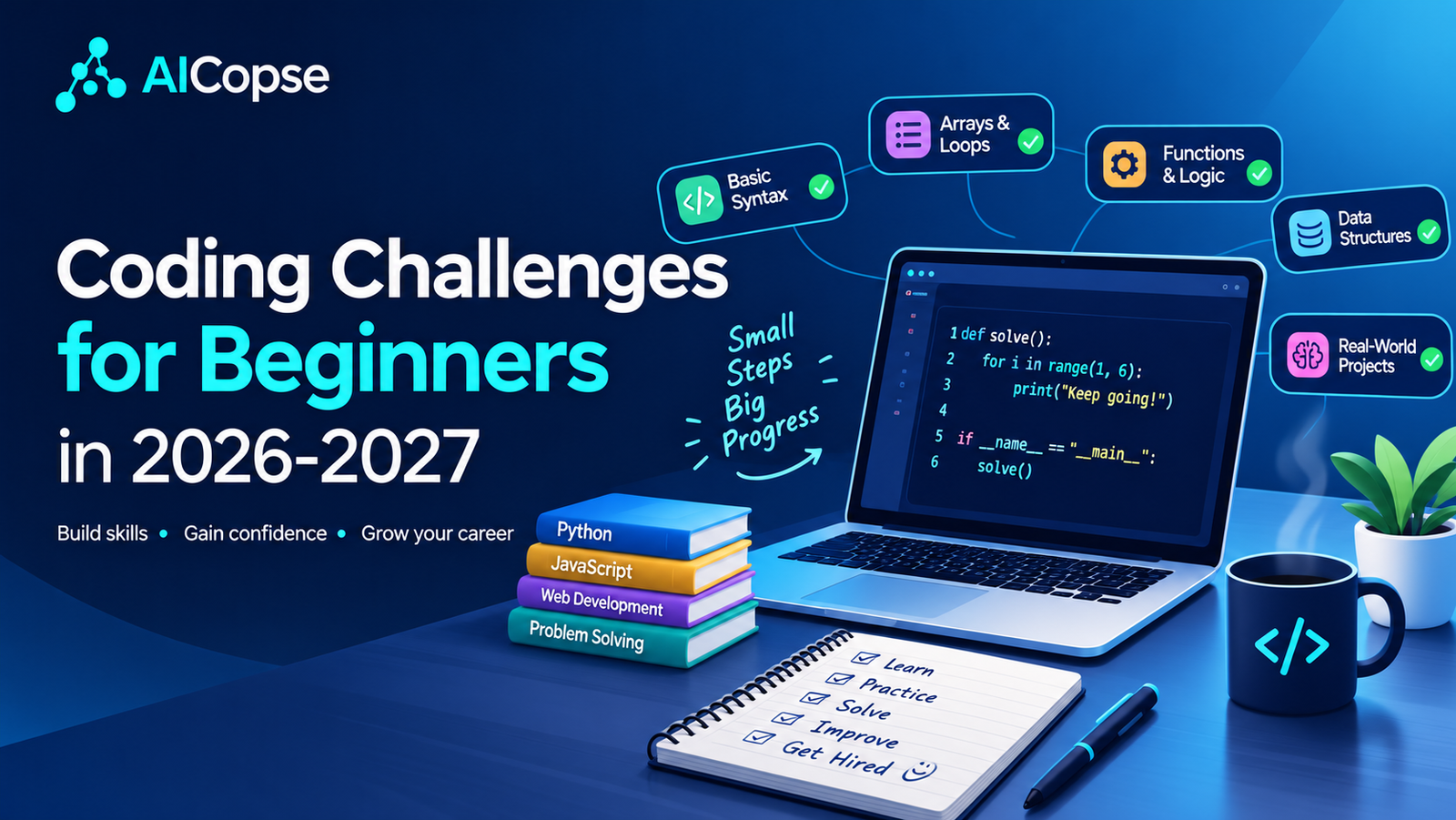
Most “coding challenges for beginners” articles do the same thing: they list LeetCode, HackerRank and Codewars and stop there. That advice is fine, but it was written for a world where you had to type every line yourself. In 2026, AI can solve most beginner problems in seconds, which creates a new question: why practise at all, and how do you practise without cheating yourself?
At AICopse we cover AI and tech every day, so we look at this from both sides. This guide is written for complete beginners, career changers, students and curious non-tech readers. It covers what is new in 2026 and 2027, how to pick a language and a platform, 30 challenges grouped by level, and a simple weekly plan you can actually finish.
Why Coding Challenges Still Matter in the AI Era
If AI can write code, is practising pointless? No, and here is the simple reason: AI writes code, but you still have to judge it. A beginner who has never struggled with a problem cannot tell whether the code AI gave them is correct, slow, or quietly broken.
The opposite approach has a name: the vibe coding trap. You prompt your way to a prototype, something breaks, and you cannot fix it because you never understood it. It is like driving a car you cannot repair. Calculators taught us the same lesson: tools do not make fundamentals pointless, they make them more valuable. When you understand the code, you can direct AI, review its output and correct its mistakes.
What Is New for 2026–2027
Several well-known challenge events changed recently, and most older guides still describe the old versions. Here is the current picture:
| Event / Resource | What changed | What beginners should do |
|---|---|---|
| Hacktoberfest 2026 October |
It no longer counts pull requests. The 2026 format centres on 300+ community “Fests,” online and in person, about building with open-source AI and open models. | Join a beginner-friendly Fest or the online event. Treat it as a hands-on build day, not a PR race. |
| Advent of Code Starts December 1 |
Creator Eric Wastl announced on October 22, 2025 that it would run 12 puzzles (December 1 to 12) with no global leaderboard. Puzzles unlock at midnight EST (UTC-5). | The best first event for a beginner: 12 days and no leaderboard race. Solve Part 1 each day, then try Part 2. |
| freeCodeCamp Daily Challenges | freeCodeCamp added daily Python and JavaScript puzzles alongside its main curriculum. | The easiest daily habit to start. Five minutes counts. |
| Exercism | Exercism launched Jiki, a dedicated beginner platform for learning to code in the AI era, next to its 83 free language tracks. | Start with Jiki if you have never written code. Move to a language track once loops and functions feel natural. |
Our recommendation for 2027: spend one third of your practice time reading and fixing code, not writing it. AI produces first drafts in seconds; the skill that stays valuable is checking them. The debugging puzzles in this guide train exactly that, and Hacktoberfest’s shift from counting pull requests to building with open-source AI points the same way.
Which Language Should You Use?
Pick one and stay with it for at least 12 weeks. Switching languages every week is the number one reason beginners feel stuck.
| Language | Pick it if… | Watch out for |
|---|---|---|
| Python | You want the gentlest start, or you are interested in AI, data or automation | Easy syntax can hide how computers work. Learn types and loops properly. |
| JavaScript | You want to build websites and see results in the browser | Some quirks (like type conversion) confuse beginners at first. |
| Java / C++ | Your school or competitive-programming goal requires it | More typing and a steeper start. Not ideal as a first language for self-learners. |
Our default advice: Python if you are unsure. The examples below use Python, and every challenge works in JavaScript too.
Best Coding Challenge Sites for Beginners
You do not need all of these. Choose one main site and one “fun” site.
| Platform | Best for | Beginner tip | Cost |
|---|---|---|---|
| freeCodeCamp | Guided lessons plus daily Python/JS puzzles | Best true starting point for absolute beginners | Free |
| Exercism | Learning one language deeply across 83 language tracks | Great for writing clean, readable code | 100% free, non-profit |
| Codewars | Gamified practice with “katas” | Every new user starts at 8 kyu, the easiest rank | Free core |
| HackerRank | Structured tracks and the 30 Days of Code series | Good if you like a syllabus | Free practice |
| LeetCode | Job-interview style problems | Stay on “Easy” until week 8 or later | Free + paid tier |
| CodinGame | Learning by coding game bots | Perfect if “puzzles” bore you | Free core |
| Frontend Mentor | HTML, CSS and JavaScript design challenges | Best for visual learners and web beginners | Free + paid tier |
| Advent of Code | Story-based puzzles every December | Try Part 1 only; skip the leaderboard mindset | Free |
The AI-Era Rules for Practising
This is the part most guides skip. Use the 20-10-5 method: it keeps you learning while still letting you benefit from AI.
| Good ways to use AI | Ways that hurt your learning |
|---|---|
| Explain an error message in simple words | Pasting the challenge and copying the answer |
| Review your finished solution and point out edge cases | Asking for “the best solution” before you try |
| Quiz you on what your code does line by line | Using AI autocomplete during Level 1 and 2 |
| Compare your approach with another approach after you finish | Submitting AI answers on competitions or tests |
Copy-and-paste tutor prompts
1. Hint mode: “I’m a beginner learning Python. Here is a challenge: [paste]. Do not give me the solution or any code. Give me one small hint, then wait for my next attempt.”
2. Review mode: “Here is my working solution: [paste]. Do not rewrite it. Tell me about bugs, edge cases I missed, and one way to make it easier to read.”
3. Quiz mode: “Ask me 3 questions to check whether I really understand this code. Wait for my answer to each before moving on.”
30 Beginner Coding Challenges by Level
Each level builds on the one before. Solve the challenge in any language, then add the “twist” to make it AI-proof: the twist is what turns a copied answer into real understanding.
Level 1: The Basics (weeks 1–3)
| # | Challenge | Skill | Twist |
|---|---|---|---|
| 1 | Ask for a name and print a greeting | Input and output | Handle an empty name |
| 2 | Check if a number is even or odd | Conditions | Test with 0 and negatives |
| 3 | FizzBuzz (1 to 100) | Loops, modulo | Make the numbers configurable |
| 4 | Reverse a string | Strings | Do it two different ways |
| 5 | Count vowels in a sentence | Loops, strings | Ignore upper/lower case |
| 6 | Sum the digits of a number | Math, loops | Solve it without converting to text |
| 7 | Convert Celsius to Fahrenheit | Functions | Add the reverse conversion |
| 8 | Find the largest number in a list | Lists | Do not use the built-in max |
| 9 | Print a multiplication table | Nested loops | Format it in neat columns |
Level 2: Thinking in Patterns (weeks 4–6)
| # | Challenge | Skill | Twist |
|---|---|---|---|
| 10 | Palindrome checker | Strings | Ignore spaces and punctuation |
| 11 | Anagram checker | Sorting, counting | Solve it two ways |
| 12 | Word frequency counter | Dictionaries | Print the top 3 words |
| 13 | Two Sum (find two numbers that add up to a target) | Hash maps | Compare a slow and a fast version |
| 14 | Remove duplicates but keep the order | Lists, sets | Explain why a plain set fails |
| 15 | Valid parentheses: are brackets balanced? | Stacks | Support (), [] and {} |
| 16 | Caesar cipher | Strings, math | Add a decode function |
| 17 | Fibonacci numbers | Loops, recursion | Write it with a loop and with recursion |
Level 3: Real-World Logic (weeks 7–9)
| # | Challenge | Skill | Twist |
|---|---|---|---|
| 18 | Binary search | Algorithms | Count how many steps it takes |
| 19 | Roman numeral converter | Mapping, logic | Convert both directions |
| 20 | Merge two sorted lists | Two pointers | Handle empty lists |
| 21 | Password strength checker | Strings, rules | Return a helpful message, not just yes/no |
| 22 | Bank account class (deposit, withdraw) | Classes, objects | Block overdrafts and test it |
| 23 | Read a CSV file and find the average of a column | Files, parsing | Skip bad rows without crashing |
| 24 | Tic-tac-toe winner checker | 2D lists | Detect a draw |
Level 4: Mini Projects (weeks 10–12)
| # | Project | Skill | Twist |
|---|---|---|---|
| 25 | Command-line to-do list that saves to a file | Files, functions | Add priorities and due dates |
| 26 | Quiz game with a score | Data structures | Load questions from a file |
| 27 | Expense tracker with monthly totals | Dictionaries, dates | Add a simple text chart |
| 28 | Weather or joke app using a free public API | APIs, JSON | Handle “no internet” gracefully |
| 29 | Simple chatbot that calls an AI API | APIs, keys, errors | Keep your key out of your code |
| 30 | Write tests for any 3 earlier challenges | Testing | Include at least one test that fails first |
3 Worked Examples with Code (Python)
Try each one yourself first. Open the answer only after your 20 minutes are up.
Example 1: FizzBuzz
Task: Print the numbers 1 to 100. For multiples of 3 print “Fizz”, for multiples of 5 print “Buzz”, and for multiples of both print “FizzBuzz”.
Show solution
for n in range(1, 101):
    if n % 15 == 0:
        print("FizzBuzz")
    elif n % 3 == 0:
        print("Fizz")
    elif n % 5 == 0:
        print("Buzz")
    else:
        print(n)
Why it works: A number divisible by both 3 and 5 is divisible by 15, so that check must come first. If you check 3 first, 15 would print “Fizz” and never reach “FizzBuzz.” This ordering mistake is the whole lesson.
Example 2: Palindrome checker
Task: Return True if a sentence reads the same forwards and backwards, ignoring spaces, punctuation and capital letters. Example: “A man, a plan, a canal: Panama” is a palindrome.
Show solution
def is_palindrome(text):
    cleaned = "".join(ch.lower() for ch in text if ch.isalnum())
    return cleaned == cleaned[::-1]

print(is_palindrome("A man, a plan, a canal: Panama"))  # True
print(is_palindrome("Hello"))                           # False
Why it works: First we keep only letters and digits and make them lowercase. Then we compare the text with its reverse ([::-1] reads it backwards). Edge cases to test: an empty string, a single letter, and numbers like “12321”.
Example 3: Two Sum
Task: Given a list of numbers and a target, return the positions of two numbers that add up to the target. Example: numbers [2, 7, 11, 15] and target 9 should return [0, 1].
Show solution
def two_sum(nums, target):
    seen = {}                      # number -> position
    for i, n in enumerate(nums):
        need = target - n
        if need in seen:
            return [seen[need], i]
        seen[n] = i
    return None

print(two_sum([2, 7, 11, 15], 9))  # [0, 1]
Why it works: The slow way checks every pair with two loops. The faster way remembers each number it has seen, so for every new number it only asks “have I already seen the number I need?” That one idea (use a dictionary to remember things) shows up in hundreds of interview problems.
3 “Find the Bug” Challenges (AI-Proof Practice)
Reading broken code is the skill AI cannot give you. Each snippet below has a bug. Find it before opening the answer.
Bug 1: The average that is always wrong
def average(numbers):
    total = 0
    for n in numbers:
        total = n
    return total / len(numbers)
Show the bug
The line total = n replaces the total each time instead of adding to it. It should be total += n. Bonus bug: an empty list causes a “division by zero” error, so check the list first.
Bug 2: The countdown that prints nothing
def count_down(n):
    for i in range(n, 0):
        print(i)

count_down(5)
Show the bug
range(5, 0) counts upwards by default, so it is empty. You need a step of -1: range(n, 0, -1). This is a classic off-by-one family of bug.
Bug 3: The shopping basket that remembers too much
def add_item(item, basket=[]):
    basket.append(item)
    return basket

print(add_item("apple"))   # ['apple']
print(add_item("bread"))   # expected ['bread'], but gets ['apple', 'bread']
Show the bug
Python creates the default list once and reuses it for every call. Fix it by using basket=None and creating a fresh list inside the function: if basket is None: basket = []. This is one of the most famous Python surprises.
Your 12-Week Beginner Plan
Plan for 30 to 45 minutes a day, 5 days a week. Missing a day is fine; missing a whole week is what kills momentum.
| Weeks | Focus | What you do | Finish line |
|---|---|---|---|
| 1–3 | Basics | Challenges 1–9 plus a lesson track on freeCodeCamp or Exercism | You can write loops, conditions and functions without looking |
| 4–6 | Patterns | Challenges 10–17, plus the 3 debug puzzles | You use lists and dictionaries comfortably |
| 7–9 | Real logic | Challenges 18–24, and start a GitHub account | You can write a class and read a file |
| 10–12 | Projects | Challenges 25–30, push everything to GitHub with a short README | 3 small projects you can show someone |
Timing tip: Starting today (October 2026)? Join a Hacktoberfest event this month, begin Level 1 right away, and you will be ready for Advent of Code Part 1 in December. By early 2027 you can be through Level 3.
Common Beginner Mistakes to Avoid
| Mistake | Better habit |
|---|---|
| Reading solutions after 5 minutes | Struggle for 20 minutes first. The struggle is the learning. |
| Jumping to Medium or Hard problems | Stay on easy until you can solve them without hints three times in a row. |
| Switching languages every week | One language for 12 weeks. |
| Only doing challenges, never projects | Build one small thing every 2 to 3 weeks. |
| Never testing edge cases | Always try empty, zero, negative and very large inputs. |
| Comparing yourself to leaderboards | Track your own streak and your own solved list. |
From Challenges to a Portfolio
Employers and clients are more impressed by proof than by points. Here is a simple way to turn practice into proof:
- Create one GitHub repository called “coding-challenges” with a folder per level.
- Add a short note to each solution: what the problem was, how you solved it, and what you would improve.
- Pick your best 3 projects from Level 4 and write a clear README with screenshots.
- Be able to explain every line. It proves you wrote the code and understand it.
Want a daily dose of AI and tech news while you learn? Follow the AICopse AI Updates section, or start from our homepage.
Frequently Asked Questions
What are good coding challenges for complete beginners?
Start with printing a greeting, even or odd, FizzBuzz, reversing a string, counting vowels and finding the largest number in a list. They teach loops, conditions and strings, which every other topic builds on.
How long should a beginner spend on coding challenges each day?
Thirty to forty-five minutes is enough. Short, daily practice beats a four-hour weekend session.
Should beginners use ChatGPT or other AI for coding challenges?
Use it as a tutor, not a solver. Try the problem alone first, then ask for hints, a code review or a quiz on your own solution. Copying a full answer teaches you almost nothing.
Which is the best website for coding challenges for beginners?
freeCodeCamp is the best all-round starting point, Exercism is excellent for one language, and Codewars is the most fun for daily puzzles. Pick one main site and stick with it.
Is LeetCode good for beginners?
It is useful, but mainly for job-interview practice. Beginners should finish Levels 1 and 2 first and stay on “Easy” problems at the start.
Python or JavaScript for coding challenges?
Python is gentler for most absolute beginners. JavaScript is better if your goal is building websites. Both work on every major challenge platform.
Is learning to code still worth it in 2026 with AI?
Yes, if you learn the fundamentals. AI tools still need people who can direct them, review their output and fix their mistakes. Writing code by hand at the beginning is what builds that judgement.
What happened to Hacktoberfest and Advent of Code?
Hacktoberfest 2026 moved from counting pull requests to community events about building with open-source AI. Advent of Code now runs 12 puzzles from December 1 to 12 and has no global leaderboard, a change its creator announced on October 22, 2025.
Key Takeaways
- Coding challenges still matter in 2026 because they train the judgement you need to check AI-written code.
- Pick one language, one main site, and practise 30 to 45 minutes a day.
- Use the 20-10-5 method: struggle alone, ask for a hint, then explain it back.
- Move through four levels, and add small projects from week 7 onward.
- Practise reading and fixing broken code; it is the most AI-proof skill.
- Track your work on GitHub so you have proof, not just a streak.
Sources and further reading:
- Hacktoberfest: official 2026 questions page
- freeCodeCamp: Introducing Daily Python and JavaScript Challenges
- Elixir Forum: Advent of Code, the missing days (creator’s explanation of the 12-day format)
- Educative: AI and coding, how AI is redefining learning to code
- Advent of Code (Wikipedia): October 22, 2025 format announcement
- Exercism: free, not-for-profit platform and the Jiki beginner course
- Codewars docs: kyu and dan ranks

Leave a Reply