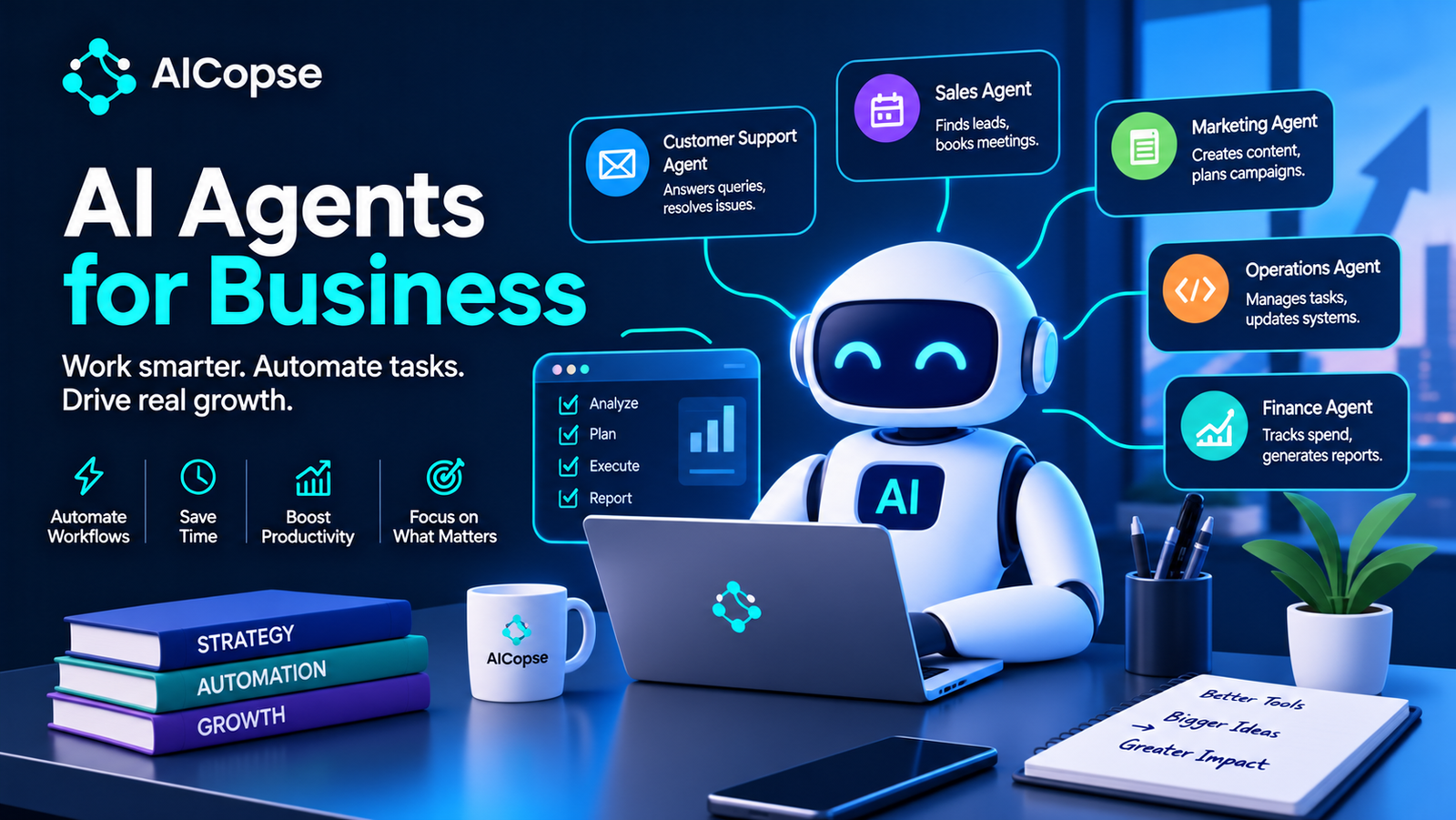
Every software vendor now sells “AI agents,” and most businesses cannot tell which ones are real. The risk runs both ways: companies that wait lose time, and companies that rush build expensive demos that never reach production. Research from MIT found that about 95% of enterprise generative AI pilots showed no measurable business impact, and Gartner predicts that more than 40% of agentic AI projects will be canceled by the end of 2027.
This guide gives you a vendor-neutral way to decide whether you need an agent, where to use one, how much freedom to give it, what it really costs, how to keep it secure and how to measure it. It is written for business owners, managers and technical teams alike, and we follow AI in business daily at AICopse.
What Is an AI Agent for Business?
An AI agent is a system in which an AI model decides what to do next, uses tools to do it, observes the result and keeps going until the goal is met or it needs help. Three ingredients separate it from ordinary software: a goal, the freedom to choose steps, and access to tools (search, email, databases, business apps).
Anthropic’s widely used guidance on building agents draws the most useful line for businesses. A workflow runs AI models and tools through steps that your code defines in advance. An agent directs its own process and tool use. Both are “agentic systems,” but they behave very differently in production: workflows are predictable, and agents are flexible. Anthropic’s own advice is to find the simplest solution possible and add complexity only when it is needed.
| System | Who decides the steps? | Example | Best when |
|---|---|---|---|
| Chatbot / assistant | The person, one message at a time | An FAQ bot or drafting assistant | You need answers or drafts, not actions |
| Traditional automation (RPA, rules) | A programmer, fixed rules | “If an invoice arrives, copy fields into the ERP” | Inputs are structured and rules are stable |
| AI workflow | Your code sets the path; AI handles each step | Read an email, classify it, draft a reply, queue it for approval | The steps are known but the content is messy text |
| AI agent | The AI, at run time | Investigate a billing dispute by searching systems, deciding what to check and resolving it | The path cannot be scripted and mistakes are recoverable |
Beware “agent washing”
Gartner coined the term agent washing for vendors that rebrand chatbots, assistants and RPA tools as agentic AI without real autonomous capability. Gartner estimates that only about 130 of the thousands of vendors claiming agentic products offer genuine agentic features. In its words, many use cases positioned as agentic do not need an agentic implementation at all. When a vendor says “agent,” ask one question: what decides the next step, a person’s script or the AI?
The 5 Levels of Autonomy
“Agent or not” is the wrong question. The useful question is how much freedom the AI has. We use five levels, similar to the way driving automation is described:
The rule: start every new use case at the lowest level that produces the business outcome, and earn each higher level with evidence. Move up only when the work is accurate, observable, reversible and owned by a named person. Most successful business deployments today sit at Levels 2 to 4.
Reality Check: What the Research Says
These figures are a dated snapshot. They explain why caution pays, and the lessons behind them will outlast the numbers.
| Finding (snapshot) | Source and date | Lasting lesson |
|---|---|---|
| About 95% of enterprise generative AI pilots showed no measurable business impact | MIT NANDA, “The GenAI Divide,” 2025 (150 leader interviews, 350 employee survey responses, 300 public deployments) | Integration into real workflows is the hard part, not the model. |
| Tools bought from specialist vendors or built in partnership succeeded about 67% of the time; internal builds about a third as often | MIT NANDA, 2025 | Do not build from scratch what a specialist already does well. |
| Most spending went to sales and marketing tools, yet back-office automation showed the strongest returns | MIT NANDA, 2025 | Easy-to-demo is not the same as high-value. Look at the back office. |
| More than 40% of agentic AI projects will be canceled by the end of 2027, due to escalating costs, unclear business value or inadequate risk controls | Gartner, June 2025 (poll of 3,412 attendees: 19% had made significant investment, 42% conservative, 8% none) | Costs, value and risk controls decide survival. Plan all three first. |
| Leading agents completed about 58% of single-turn CRM tasks and about 35% of multi-turn ones, but over 83% of workflow-execution tasks | Salesforce AI Research, CRMArena-Pro, 2025 (models of that period) | Rule-based, well-defined work is far easier than open-ended conversations. Match the task to the tool. |
| By 2028, about 15% of day-to-day work decisions will be made autonomously and 33% of enterprise software will include agentic AI | Gartner forecast, 2025 | Adoption is real, and most decisions will still involve people. |
The MIT lead author summarised what winners do in one sentence: pick one pain point, execute well and partner smartly. That is the thread running through this entire guide.
Why Long Agent Runs Fail: The Math of Compounding Errors
An agent that takes many steps must be right at every step. Even high per-step accuracy erodes quickly, because success multiplies:
print(f"{'per-step success':>17} | " + " | ".join(f"{n:>2} steps" for n in (3, 5, 10, 20)))
for p in (0.99, 0.95, 0.90):
    print(f"{p:>17.0%} | " + " | ".join(f"{p**n:>8.0%}" for n in (3, 5, 10, 20)))

#  per-step success |  3 steps |  5 steps | 10 steps | 20 steps
#               99% |      97% |      95% |      90% |      82%
#               95% |      86% |      77% |      60% |      36%
#               90% |      73% |      59% |      35% |      12%
What this shows: an agent that is right 95% of the time at each step finishes a 10-step task correctly only 60% of the time, and a 20-step task only 36% of the time. This is why the best designs keep tasks short, put checkpoints between steps, verify results automatically and hand uncertain cases to a person. It also explains why scripted workflows beat open-ended agents on well-defined tasks: fewer decisions mean fewer places to be wrong.
Do You Need an Agent? The Fit Test
Ask six questions about the task. The answers point to the simplest tool that works.
| Question | If yes… | If no… |
|---|---|---|
| 1. Are the steps the same every time? | Use a fixed workflow or plain automation. | An agent may help; continue. |
| 2. Is the volume high enough to justify setup? | Good candidate. | Skip; a person or a template is cheaper. |
| 3. Can a wrong action be undone? | Higher autonomy is possible. | Keep a human approval gate (Level 3 or lower). |
| 4. Is the data it needs accessible, clean and permitted? | Proceed. | Fix the data first; agents amplify data problems. |
| 5. Can you measure success objectively? | Proceed. | Define metrics first; otherwise you cannot tell if it works. |
| 6. Does a mistake have legal, financial or safety consequences? | Keep a person in the decision, and involve legal and security. | Lower risk; autonomy can be higher. |
The short version: use an agent when the work is repeatable, multi-step, measurable and supported by reliable data and tools. If the path can be written down, write it down and use a workflow.
Best Business Use Cases for AI Agents
The best first projects share five traits: high volume, clear rules for what “good” means, tolerable errors, reversible actions and an existing metric. Back-office work often fits better than the flashier front-office ideas.
| Function | Use case | Suggested starting level | First metric |
|---|---|---|---|
| Customer support | Triage and route tickets; draft replies; resolve routine requests | 2, then 3 to 4 for routine categories | Resolution rate, escalation rate, customer satisfaction |
| Finance | Invoice capture and matching; expense checks; reconciliation support | 3 | Processing time, error rate, exceptions per 1,000 |
| Sales | Lead research and enrichment; call summaries; follow-up drafts | 2 | Rep hours saved, response time, reply rate |
| IT and internal help | Password resets, access requests, incident triage | 3 to 4 with strict permissions | Tickets closed without a person, time to resolve |
| HR and onboarding | Answer policy questions; guide new hires through tools and forms | 2 to 3; avoid automated hiring decisions | Time to productivity, questions resolved without HR |
| Legal and compliance | First-pass contract review; policy checks | 1 to 2 | Review time, issues caught versus a lawyer’s list |
| Operations | Supplier follow-ups, shipment exceptions, scheduling | 3 | Exception resolution time, delays avoided |
| Software engineering | Coding agents that fix bugs and write tests, verified by automated tests | 3 with code review | Tests passing, review rework, cycle time |
| Analytics and reporting | Scheduled reports, anomaly alerts, answers to common data questions | 2 to 3, using governed metric definitions | Analyst hours saved, number mismatches versus official reports |
Anthropic’s own review of customer experience notes that two domains have shown particular success with agents: customer support and coding. Both share what makes agents work. Success is easy to verify (a ticket resolved, a test passing), and mistakes are caught quickly.
If you run a small business
You do not need to build anything. Start with agents embedded in tools you already use (your email, CRM, helpdesk or accounting software) or a no-code automation platform. Pick one repetitive job, such as drafting replies to common customer emails, keep yourself as the approver, and measure hours saved over a month before adding a second use case.
The Five Building Patterns
Anthropic describes five patterns that cover most systems. Knowing them helps you read vendor claims and brief a developer, in business terms:
| Pattern | How it works | Business example |
|---|---|---|
| Prompt chaining | A fixed sequence of steps, each using the previous result, with checks in between | Extract invoice fields, validate against the purchase order, then draft an approval note |
| Routing | Classify the input and send it to the right specialist path; simple cases can go to cheaper models | Send billing questions, technical issues and refund requests to different handlers |
| Parallelization | Run several checks at once, or the same task several times and compare | Review a contract for pricing, liability and data terms in parallel |
| Orchestrator-workers | A central model breaks an unpredictable task into subtasks and delegates them | Investigate a customer dispute across billing, shipping and support systems |
| Evaluator-optimizer | One model drafts, another critiques, and they loop until quality is acceptable | Draft a customer reply and check it against the tone and policy guide before sending |
The first three are workflows, and they are where most businesses should start. Only the orchestrator pattern and fully autonomous agents let the AI choose the path, and they cost more in speed, money and predictability.
Build, Buy or Partner
| Option | Choose it when | Watch out for |
|---|---|---|
| Use agents built into your existing software | The task is standard (support, CRM, accounting, helpdesk) and the vendor already holds your data | Agent washing; limited control; check what it actually decides alone |
| No-code or low-code agent platform | You need custom workflows across several tools without a developer team | Usage-based costs and runaway loops; permission sprawl |
| Specialist vendor or implementation partner | The process is complex, regulated or central to your operations and you lack in-house experience | Vendor lock-in; make sure someone keeps adapting the system after launch |
| Custom build with an AI framework | The agent is core to your competitive advantage and you have strong engineers | The highest failure rate in MIT’s data; budget for evals, security and maintenance |
Whichever route you choose, the same rule applies. A purchased or partner-built tool that nobody keeps improving fails just as surely as an internal build. Forward deployed engineers, specialists who embed with a business to fit AI to its real data and workflows, exist because deployment, not the model, is the hard part.
What an Agent Really Costs
The software bill is the small part. The number that matters is the cost per completed task, including the people who review and redo work. The formula never changes; only the prices do:
An agent beats a person only when this total is lower than the person’s own cost, and only when failures are caught. A failure nobody notices costs far more than the formula shows.
def cost_per_task(agent_cost, success_rate, review_cost, human_cost):
    return agent_cost + review_cost + (1 - success_rate) * human_cost

human, agent, review = 6.00, 0.40, 1.00     # illustrative dollars, not real prices
for s in (0.50, 0.70, 0.85, 0.95):
    c = cost_per_task(agent, s, review, human)
    print(f"success {s:.0%}: ${c:.2f}  (saves ${human - c:.2f} vs a person)")

# success 50%: $4.40  (saves $1.60 vs a person)
# success 70%: $3.20  (saves $2.80 vs a person)
# success 85%: $2.30  (saves $3.70 vs a person)
# success 95%: $1.70  (saves $4.30 vs a person)
What this shows (with invented numbers): if a person costs $6.00 per task, an agent costing $0.40 per attempt, with $1.00 of review on every result, still saves money at a 50% success rate, because failures simply return to a person. The break-even point in this example is a success rate of about 23%. Real economics are harsher in three ways: agents take many steps (see the compounding table), usage-based fees add up when an agent loops, and an uncaught error in finance, legal or customer messaging can cost far more than the task itself. Plug your own numbers into the formula before you commit.
Security and Governance
Giving an AI tools and data creates a new kind of risk. The central one is prompt injection: text hidden in an email, web page or document that the agent reads and then obeys as if it came from you. Unlike older injection attacks, there is no complete fix, so the design must assume it can happen and limit the damage.
The lethal trifecta
Researcher Simon Willison named the most dangerous combination. An agent is at serious risk when it has all three of:
With all three, one malicious message can steer the agent to fetch sensitive data and send it to an attacker. The strongest defence is architectural: remove at least one leg. An agent that reads untrusted email but cannot send anything externally, or one that sends email but never sees private data, breaks the trifecta.
Controls every business agent needs
| Risk (OWASP-style) | Control |
|---|---|
| Excessive agency: too many tools, permissions or autonomy | Least privilege: give each agent its own identity and only the tools and scopes its task needs; deny by default. |
| Prompt injection through content the agent reads | Treat all external content as untrusted; enforce limits outside the model, because a prompt can be overridden but a sandbox or permission cannot. |
| High-impact mistakes | Human approval for irreversible actions: payments, deletions, external messages to customers, contract changes. |
| Runaway cost (“denial of wallet”) | Caps on steps, tokens, spend and runtime per task; alerts on unusual usage. |
| Cascading failures across several agents | Isolate agents, validate messages between them and avoid long chains without checkpoints. |
| No accountability | A named human owner, full logs of every action and tool call, and a tested way to switch the agent off and roll back. |
| Privacy leaks | Limit which data the agent can see by user and task; test confidentiality explicitly, because Salesforce’s benchmark found agents showed low awareness of confidentiality by default. |
OWASP now publishes a Top 10 for agentic applications, announced in late 2025, and an AI agent security cheat sheet. Use them as the minimum checklist before any production launch, and bring in your security team early, not after the pilot succeeds.
How to Measure an Agent
Measure at five layers, from the model up to the business, and always against a baseline of how the work was done before:
| Layer | What to track for an agent |
|---|---|
| Output quality | Task success rate on a test set of real cases (a golden dataset), repeated several times because results vary |
| System health | Steps per task, correct tool use, speed (including the slowest 5%), cost per task, error recovery |
| User outcome | Adoption, human override rate, escalations, satisfaction |
| Business impact | Hours saved, error reduction, cost per completed task, revenue or retention, measured against a holdout group |
| Risk | Policy violations, data-leak tests, performance across customer groups, audit-trail completeness |
Do not trust how productive people feel. A randomized trial by the research group METR found experienced developers were 19% slower with AI tools while believing they were about 20% faster. Measure time and outcomes against a comparison group, and keep re-testing, because agent behaviour changes whenever the underlying model, prompt or data changes.
A 90-Day Rollout Plan
| Phase | What happens | Exit criterion |
|---|---|---|
| Days 1–15: Choose and baseline | Pick one pain point using the fit test. Measure today’s time, cost, error rate and volume. Name an owner and a success threshold. | A written one-page scope and baseline numbers |
| Days 16–40: Build narrow | Start with a workflow, not a free agent. Build a golden dataset of 50 or more real cases. Set least-privilege access. | Passing score on the golden dataset, with a confidence interval |
| Days 41–60: Shadow mode | The agent runs on live work but takes no action; people compare its output with their own. | Agreement with humans meets the threshold on real traffic |
| Days 61–80: Supervised | Level 2 to 3: the agent acts with approvals. Track overrides, cost per task and incidents. | Override rate falling, zero serious incidents |
| Days 81–90: Decide | Compare results with the baseline and a holdout group. Scale, adjust or stop. | A go, adjust or stop decision backed by data |
Stopping is a valid outcome. A project canceled in week 12 with clear data is a success; one that drifts for a year with no metric is how a business joins Gartner’s 40%.
Who You Need on the Team
- A business owner who owns the outcome and the metric, not just the technology.
- A domain expert who knows what a correct result looks like and labels the test cases.
- An engineer (in-house, a partner or a forward deployed engineer) who builds integrations, evals and monitoring.
- A security and compliance reviewer who signs off on data access, permissions and approval gates.
- Frontline users involved from the start. MIT found that empowering line managers, not just central AI teams, drives adoption.
The Tool Landscape
Snapshot: October 2026. Vendors change quickly, so treat these as examples of categories. The categories stay stable, and the right pick depends on the task, your data and your team, not on a ranking.
| Category | Examples named in 2026 roundups | Best for |
|---|---|---|
| Agents inside business suites | Microsoft Copilot and Copilot Studio, Google Gemini and Workspace Studio, Salesforce Agentforce, HubSpot | Teams already living in those platforms |
| No-code and low-code automation with agents | Zapier Agents, Make, n8n, Lindy, Relevance AI | Small teams connecting many apps without developers |
| Specialist and industry agents | Customer-service and back-office specialists such as Sierra and Beam AI | Complex or regulated processes |
| Developer frameworks and model-provider toolkits | OpenAI AgentKit, CrewAI, LangSmith Deployment, plus agent tooling from the major model providers | Engineering-led custom agents |
| Connection standards | Model Context Protocol (MCP), an open standard for connecting AI assistants to tools and data | Reducing custom integration work and lock-in |
How to choose, regardless of vendor: ask what decides the next step (script or AI), which actions need approval, how permissions are scoped, whether every action is logged, what happens when it fails, how cost is capped and whether you can export your data and switch off the agent instantly.
Common Mistakes
| Mistake | Better practice |
|---|---|
| Using an agent where a workflow would do | If you can write down the steps, script them. |
| Automating a broken process | Redesign the workflow first; agents amplify bad processes. |
| Starting with the flashiest use case | Start with a high-volume, low-risk back-office task. |
| No baseline or metric | Measure the current process and set a success threshold first. |
| Giving broad permissions “to be safe” | Grant only what the task needs, with approvals for irreversible actions. |
| Counting only the software bill | Track cost per completed task including review and rework. |
| Launching without a rollback | Test the off switch and the undo path before go-live. |
| Treating launch as the finish line | Re-run tests on every change and sample live work. |
| Trusting the demo | Test on your own messy data, with edge cases. |
| Building alone what a specialist already does | Buy or partner unless the agent is your competitive edge. |
Launch Readiness Checklist
Do not go live until every row is a yes.
| Area | Question | Yes / No |
|---|---|---|
| Purpose | Is there one named owner and one written success metric? | |
| Baseline | Do we know today’s time, cost and error rate? | |
| Testing | Did it pass a golden dataset of real cases, with a confidence interval? | |
| Autonomy | Is the autonomy level the lowest that works, with approval gates on irreversible actions? | |
| Security | Is at least one leg of the lethal trifecta removed, and are permissions least-privilege? | |
| Cost | Is cost per completed task calculated, with spend and step caps? | |
| Oversight | Are all actions logged, and is there a tested off switch and rollback? | |
| People | Are frontline users trained, and do they know how to escalate or override? | |
| Monitoring | Will we re-test on every model, prompt or data change? |
Common Myths About AI Agents for Business
| Myth | Reality |
|---|---|
| “An agent is just a smarter chatbot.” | An agent takes actions with tools and chooses its own steps. That brings new risks as well as new value. |
| “More autonomy is always better.” | More autonomy means more variance and cost. Use the lowest level that works. |
| “Agents will replace entire teams soon.” | Even optimistic forecasts have agents making a minority of daily decisions by 2028, with people in the loop for the rest. |
| “If the demo works, it will work in production.” | Demos use clean data and short paths. Production brings edge cases and long chains, where errors compound. |
| “We can fix security with a better prompt.” | Prompts can be overridden. Real protection comes from permissions, sandboxes and approvals outside the model. |
| “Every vendor selling an agent has one.” | Gartner estimates only about 130 of thousands of vendors have real agentic capability. |
Mini Glossary
- AI agent: a system where an AI model chooses its own steps and uses tools to reach a goal.
- Workflow: AI steps arranged along a path your code defines in advance.
- Agentic AI: the umbrella term for workflows and agents.
- Agent washing: rebranding chatbots, RPA or assistants as agents without real autonomy.
- Prompt injection: hidden instructions in content that make an AI do something its owner did not intend.
- Least privilege: giving a system only the access its current task needs.
- Golden dataset: real examples with correct answers used to test an AI system.
- Shadow mode: running an agent on live work without letting it act, to compare against people.
- MCP: Model Context Protocol, an open standard for connecting AI assistants to tools and data.
Read More: Agentic AI vs Generative AI: Key Differences With Examples
Frequently Asked Questions About AI Agents for Business
What is an AI agent for business?
Software that uses an AI model to pursue a business goal by choosing its own steps and using tools such as your CRM, email and databases, with people overseeing risky actions.
What is the difference between an AI agent and a chatbot?
A chatbot answers questions in a conversation. An agent takes actions across your systems to complete a task, deciding the steps as it goes.
What is the difference between an AI agent and a workflow?
In a workflow, your code fixes the path and AI handles each step. In an agent, the AI decides the path at run time. Workflows are more predictable and cheaper, so use them unless the task truly needs flexibility.
What are the best use cases for AI agents in business?
High-volume tasks with clear success criteria and reversible actions: customer support triage, invoice processing, IT helpdesk requests, lead research, reporting and software testing. Back-office processes often deliver better returns than sales and marketing.
How much do AI agents cost?
The software fee is the smaller part. Calculate cost per completed task: agent cost per attempt, plus review time, plus the cost of people redoing failures. Usage-based pricing and long loops can make costs grow quickly, so set spend caps.
Are AI agents safe for business use?
They can be, with controls: least-privilege access, human approval for irreversible actions, logging, an off switch and a design that avoids the lethal trifecta of private data, untrusted content and external communication. Prompt injection has no complete fix, so limit what damage an agent can do.
Should we build or buy AI agents?
For most businesses, buy or partner. MIT’s 2025 research found that vendor-bought or partner-built tools succeeded about 67% of the time, roughly three times as often as internal builds. Build only when the agent is a core competitive advantage and you have strong engineers.
How do I start with AI agents in a small business?
Pick one repetitive task, use an agent built into software you already pay for or a no-code platform, keep yourself as the approver, and measure hours saved over a month before expanding.
Why do so many AI agent projects fail?
Gartner points to escalating costs, unclear business value and inadequate risk controls. MIT points to weak integration with real workflows. Both come down to missing baselines, vague scope and no owner.
How do I measure the ROI of an AI agent?
Compare cost per completed task, hours saved, error rate and adoption against a pre-agent baseline and, ideally, a holdout group, and include review and rework time on the cost side.
What is the main difference between an AI Agent and Superintelligence (ASI)?
-
AI Agent: A specialized software system powered by AI models designed to execute specific workflows, interact with enterprise APIs, use database tools, and complete complex, multi-step business tasks.
-
Superintelligence (ASI): A theoretical, future stage of artificial intelligence that significantly surpasses human intelligence across virtually every domain (creative, strategic, scientific, and cognitive).
Which platforms offer the top AI Agents for business deployment right now?
The leading platforms for business deployment fall into two distinct operational categories:
-
Enterprise Pre-Built Platforms:
-
Microsoft Copilot Studio: Deeply integrated with Microsoft 365, Azure, and Dynamics data for automated enterprise workflows.
-
Salesforce Agentforce: Tailored for automated sales pipelines, lead management, and autonomous customer support within Salesforce CRM.
-
Intercom Fin: A domain-specific AI support agent built to resolve complex customer service tickets end-to-end.
-
-
Custom Developer & Multi-Agent Frameworks:
-
OpenAI Agents SDK / Agent Builder: Built for creating tailored autonomous research, coding, and internal process workflows.
-
CrewAI & LangGraph: Developer frameworks designed to orchestrate multi-agent teams (e.g., assigning separate research, review, and execution roles to distinct AI agents with human-in-the-loop controls).
-
Between AI Agents and Superintelligence, which is best for business?
AI Agents are unequivocally the best choice for business today.
-
Immediate Practical ROI vs. Speculation: AI Agents exist today and drive measurable ROI through cost savings, process acceleration, and workflow automation. Superintelligence is a theoretical concept without commercial availability or actionable implementation strategies.
-
Enterprise Security & Control: Businesses require strict audit trails, predictable outcomes, and tight data permissioning. AI Agents operate within deterministic guardrails and system API bounds, avoiding governance and alignment risks.
-
Targeted Scalability: Deploying specialized AI agents tailored to specific business functions (Sales, HR, Support, IT) is far more practical and cost-effective than attempting to deploy blanket super-intelligent systems.
How do AI Agents differ from traditional Chatbots and RPA automation?
-
RPA & Chatbots: Operate on rigid, pre-defined rules (“If X occurs, perform Y”). Any unexpected break in data formatting halts the process.
-
AI Agents: Use a dynamic reasoning loop (such as ReAct frameworks). Given a broad goal, an agent can evaluate the objective, retrieve context from connected tools, handle unexpected edge cases, and dynamically adapt its actions until the task is complete.
What is the safest way to deploy AI Agents in an enterprise environment?
-
Identify High-Impact, High-Volume Workflows: Start with document-heavy or rule-assisted processes like lead qualification, invoice parsing, or IT tier-1 ticket resolutions.
-
Implement Human-in-the-Loop (HITL) Safeguards: Restrict agent permissions so high-risk or high-value decisions (such as sending payments or altering client contracts) require explicitly logged human approval.
-
Establish API Permission Scoping: Limit the agent’s access to only the specific data layers and read/write endpoints required for its role.
Key Takeaways
- An agent chooses its own steps; a workflow follows steps you define. Use the simplest one that works.
- Choose an autonomy level deliberately, start low and earn each step up with evidence.
- Reliability compounds: at 95% per step, a 10-step task succeeds only 60% of the time.
- Pick one narrow, high-volume, reversible task with a baseline and a named owner.
- Buy or partner before you build; internal builds fail more often in MIT’s data.
- Measure cost per completed task, including review and rework, not just the software bill.
- Secure agents with least privilege, approval gates, logs and an off switch, and break the lethal trifecta.
- Run a 90-day plan: baseline, build narrow, shadow, supervise, then decide to scale, adjust or stop.
We refresh the dated snapshot sections as new research and tools appear, while the frameworks stay the same. Bookmark this page, and follow the AICopse AI Updates section and the AICopse homepage for daily AI coverage.
Sources and further reading:
- Anthropic: Building effective agents
- Gartner: Over 40% of agentic AI projects will be canceled by end of 2027 (June 25, 2025)
- Fortune: MIT report on the GenAI Divide, 95% of pilots failing (August 18, 2025)
- arXiv: CRMArena-Pro, assessment of LLM agents across business scenarios (Salesforce AI Research)
- OWASP: AI Agent Security Cheat Sheet
- Promptfoo: OWASP Top 10 for Agentic Applications overview
- Cosmonic: Least privilege for AI agents and the lethal trifecta
- DEV Community: AI agent security risks, four controls for 2026
- ScienceBlog: METR randomized trial on AI coding tools
- DeskFerry: Best AI agents for business, 2026 platform categories (used for the tool landscape snapshot)

Leave a Reply